
Milwaukee Journal Sentinel
USA TODAY Co.News & Magazines
2.3386.00 Reviews
- Version
- 8.10.3
- Installs
- 50.00K
- Age Rating
- Everyone 10+
Screenshots




Our Review of Milwaukee Journal Sentinel
 Analysis by Appyee
I judge a local news app less by how many headlines it can fit on a screen than by whether it helps me understand what is happening in the place I care about. Milwaukee Journal Sentinel has a clear purpose: it brings Milwaukee-area reporting together with wider news, sports, entertainment and an eNewspaper. That local emphasis is its strongest reason to install it, though it won’t suit everyone who wants a broad, free-running news feed.
A local lens is the main reason to open it
With a national news app, Milwaukee can feel like a small item in a much larger stream. Here, the local angle is central, which makes the app more useful for readers who want to follow the city and its surrounding communities rather than just catch the biggest stories of the day. I’d use it to keep up with a developing local issue, check sports coverage, or find reporting that gives a familiar place more context than a quick headline can.
That focus is also a practical filter. If I already know I want Milwaukee news, I don’t have to spend time digging through unrelated national headlines to find it. On the other hand, readers who want a fully customizable feed spanning many cities and topics may be happier with an aggregator, then turning to this publication when they want local reporting.
Where it fits in a daily routine
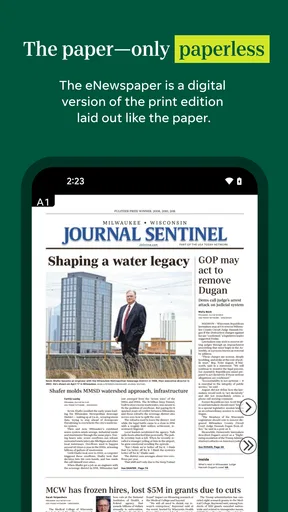
A realistic way to use the app is to check it briefly over breakfast, save the stories that need more attention, and return later when there is time to read. During a busy day, the eNewspaper offers a different kind of session from scanning individual stories: it is suited to someone who prefers a newspaper-style reading habit and wants to browse beyond a single headline. The trade-off is that an edition is not the same as a quick, constantly refreshed feed, so I would choose the format to match the time I have.
For example, a Milwaukee resident could glance at local developments before heading out, then read a longer piece in the evening and check the sports coverage after a game. A former resident might use the same routine to stay connected from elsewhere. These are more compelling uses than treating the app as a replacement for every news source on a phone: its value comes from having a local publication to return to, not from trying to cover every subject equally.
Getting to Know the Milwaukee Journal Sentinel App
First things first, let’s talk about what the Milwaukee Journal Sentinel app is all about. It’s designed to bring the latest news from Milwaukee and beyond straight to your fingertips. Whether you’re a fan of politics, sports, or just want to keep up with local happenings, this app has got you covered. It’s available for both Android and iOS, so no matter your device preference, you’re good to go.
Simple and Intuitive Interface
One of the first things I noticed was how user-friendly the layout is. The app features a clean and intuitive design that makes navigation a breeze. I didn’t find myself fumbling around trying to figure out how to get to the sections I wanted. Everything is neatly categorized, from top stories to local news and even opinion pieces. The developers clearly put a lot of thought into ensuring that users can easily access the content they crave.
For me, a useful habit is to decide what I’m opening the app to do before I start scrolling: catch up on local reporting, look for sports, or browse the paper-style edition. That small choice keeps a news session focused and makes it easier to tell whether the app is earning a place in my routine. A clear layout helps, but it cannot make every story equally relevant; I still have to choose what deserves my time.
Stay Updated with Real-Time Notifications
Let’s be honest, in today’s fast-paced world, staying updated is crucial. The app offers real-time notifications, so you’ll never miss out on breaking news. I found it incredibly handy to get alerts on my favorite topics and local stories. You can customize these notifications, ensuring you’re only bombarded with news that truly matters to you. How cool is that?
Alerts are most helpful when they bring me back for a story I genuinely want to follow; they become noise when every update competes for attention. I’d start with only the subjects I care about and adjust after seeing how often they interrupt. If I’m trying to concentrate, I’d rather check the app at a chosen time than let a steady stream of notifications set the pace of my day. That is a meaningful trade-off: speed can be useful, but constant urgency is not the same as better understanding.
In-Depth Articles and Multimedia Content
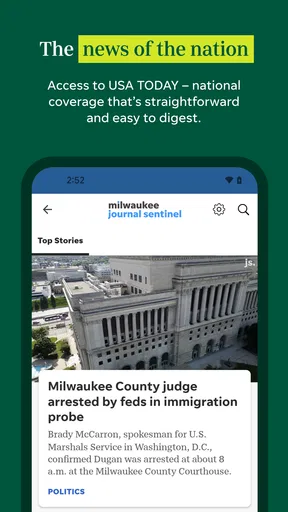
What sets the Milwaukee Journal Sentinel app apart is its commitment to delivering in-depth articles. The journalists really dig deep into their reports, providing comprehensive coverage that goes beyond just the headlines. Plus, the app includes multimedia content like videos and photo galleries, adding an extra layer of engagement. It’s one thing to read about a news event, but seeing it unfold visually takes the experience to a whole new level.
I find that mix particularly useful when a story has a strong local setting: a photo gallery or video can show details a short text update cannot, while a longer article can explain why those details matter. It is worth treating multimedia as a complement rather than a shortcut. A visual report can make a story easier to grasp, but it does not replace the context in a full article, especially when the issue is complicated or still developing.
Local Events and Community Focus
Being a local news app, it’s no surprise that the Milwaukee Journal Sentinel places a strong emphasis on community and local events. Whether it’s coverage of the latest Brewers game or a spotlight on local heroes, the app does a fantastic job of keeping the community spirit alive. I loved reading about events happening around town and felt more connected to my city because of it.
This part of the experience is most valuable when local news affects a decision, not just when I want something interesting to read. Residents can use coverage to keep a closer eye on issues and happenings in their area; people who have moved away can use it as a regular connection to the place they still care about. If I were planning a day around a particular event, though, I would treat a news story as context and check the event’s own current information before setting out.
Seamless Integration with Social Media
For those who enjoy sharing news stories on social media, this app makes it incredibly easy. With just a few taps, I could share articles on platforms like Facebook and Twitter. This feature is perfect for sparking discussions or simply keeping friends and family informed about what’s going on in Milwaukee and around the world.
Sharing is also a convenient way to point someone to a report without turning every conversation into a forwarded headline. I’d share a story when its local context is useful to the other person, rather than assuming the headline alone says everything. For a developing issue, the article itself is a better starting point for discussion than a brief summary, since details can matter more than the first impression.
Access to Exclusive Content
Here’s a little something for those who love exclusivity. The app offers access to subscriber-only content, giving you an edge with stories you won’t find elsewhere. It’s a great option for anyone who wants a deeper dive into certain topics. While some might see this as a downside, I found it added value, especially for avid readers who crave comprehensive coverage.
That access model is an important consideration before making this your main source. The app is free to download, but it includes in-app purchases priced from $19.99 to $69.99 per item, so the cost of reading beyond free access can matter to a regular user. I would first browse the kinds of stories I actually read, then decide whether subscriber access is worth it to me rather than paying simply because an article is unavailable. Occasional readers may prefer to rely on accessible coverage and other sources; frequent readers who value this newsroom’s local reporting may see more reason to pay.
Who will get the most from it
The best fit is someone with a real connection to Milwaukee: a current resident, a sports follower who wants local coverage, or a former resident who likes keeping up with home. It also makes sense for readers who prefer a publication with a distinct local point of view over an endless general-interest feed. USA TODAY Co. develops the app, but the reason I’d choose it is the Milwaukee focus, not simply the identity of the publisher.
I’d be less likely to recommend it as a sole news source to someone who wants a wide range of local papers in one place, relies on a highly personalized multi-source feed, or only checks headlines now and then and has no particular interest in Milwaukee. Those readers may find a general aggregator more efficient. A national outlet may be a better first stop for someone whose main priority is broad coverage of events outside the region, with this app serving as a focused supplement when local detail matters.
What the store details mean in practice
On Android, the app is listed for devices running version 8.0 or later. Its current version is 8.7.1, and it has been available since January 14, 2013. It is a free news and magazines app with an Everyone 10+ content rating. That rating is a useful signal for households deciding whether the app is suitable for a younger reader, but I would still consider the particular news stories being read and discussed rather than treating an age label as a substitute for judgment.
Its average rating is 2.3 from around 680 ratings, with 383 written reviews, while installs are over 50,000. I would take that low average seriously as a reason to approach the app with measured expectations, not as proof that every reader will have the same experience. Before depending on it for a daily routine, I’d install it, browse the sections I care about, and see whether its reading experience and access boundaries work for me. A publication can be valuable for its reporting while its app still fails to suit every person’s habits.
How it compares with other ways to follow the news
Compared with a social feed, this app gives me a more direct route to a local publication rather than asking me to piece together reports from whatever happens to appear between posts. Compared with a broad news aggregator, it offers a narrower editorial home, which can be a strength when Milwaukee is the point and a limitation when I want many perspectives or regions in one session. Compared with reading a newspaper edition, the app combines individual stories with an eNewspaper option, letting me choose between a quick check and a more deliberate browse.
That choice is the practical advantage, but it does not remove the need to compare coverage when a story is important. I’d use the app to follow local reporting and then consult other reliable sources for a wider view of a major national or international issue. The most sensible approach is not to ask one local publication to do every job; it is to use its local knowledge where that knowledge is the reason I opened it.
Small habits that make it more useful
I’d keep a simple routine: open the app with a purpose, read beyond the headline when a story affects my community, and reserve the eNewspaper for a stretch of time when I want to browse rather than scan. If notifications start to feel like interruptions, I’d narrow them to the subjects I actively follow. If an article is locked, I’d decide whether this is a topic I expect to return to before considering an in-app purchase. Those choices help keep a local news app useful without letting it dictate how often I check my phone.
One other useful distinction is between keeping up and researching. For a quick sense of what is happening, a short visit may be enough; for a decision involving a local issue, I’d read the fuller coverage and look for additional reporting rather than relying on a notification or a shared snippet. That approach makes the app a starting point for informed attention, not a substitute for checking details when the stakes are higher.
Wrapping It Up
All in all, the Milwaukee Journal Sentinel app is a solid choice for anyone looking to stay informed while on the go. Its user-friendly interface, real-time updates, and focus on local news make it a standout in the crowded world of news apps. Whether you’re a Milwaukee native or just curious about the city’s happenings, this app is worth a download. So, why not give it a try and keep your news game strong?
My recommendation is more specific: try it if Milwaukee reporting is something you expect to read regularly, and judge it by whether the local stories, sports coverage, and newspaper-style option fit your own habits. The free download makes it possible to explore before deciding whether paid access is worthwhile, but the modest average rating is a reminder to test the experience rather than assume it will be a perfect fit. For a reader who wants a steady connection to Milwaukee, it has a clear role; for someone seeking an all-purpose news hub, another app may be the better everyday choice.
Verdict
Strengths of Milwaukee Journal Sentinel
- In-depth local news coverage.
- User-friendly interface.
- Customizable notifications.
- Offline reading available.
- Minimal ad interruptions.
Limitations of Milwaukee Journal Sentinel
- Limited international news.
- Requires account for full access.
- Occasional app crashes.
- Limited multimedia content.
- No dark mode option.
Other Releases by USA TODAY Co.
View All
IndyStar: Indianapolis Star
News & Magazines2.7

AZ Central: Arizona Republic
News & Magazines2.5

The Detroit News: Local News
News & Magazines3.1

Detroit Free Press: Freep
News & Magazines3.0
Similar Picks in This Category
View All
Google News - Daily Headlines
Google LLC4.0

X
X Corp.4.8

Flipboard:Your Social Magazine
Flipboard3.4

Opera News: breaking & local
Opera4.5

Hindi News by Dainik Bhaskar
Dainik Bhaskar Group4.0

Way2News Daily News App
Way2News ( Formerly Way2SMS )4.6
Frequently Asked Questions
What features does the Milwaukee Journal Sentinel app offer?
The Milwaukee Journal Sentinel app provides users with access to breaking news, in-depth articles, and multimedia content directly from the Milwaukee Journal Sentinel newsroom. Features include personalized news feeds, push notifications for important updates, and offline reading options. Users can also access photo galleries, videos, and local event listings.
Is the Milwaukee Journal Sentinel app free to use?
The app is free to download, and users can access a limited amount of content at no cost. However, for full access to all articles and features, a subscription is required. Various subscription plans are available, which can be managed directly through the app or the website.
How often is the content updated in the Milwaukee Journal Sentinel app?
Content in the Milwaukee Journal Sentinel app is updated in real-time, ensuring users receive the latest news as it happens. The newsroom operates around the clock to provide timely updates on local, national, and international news. Users can customize notifications to stay informed on specific topics of interest.
Can I customize my news feed in the Milwaukee Journal Sentinel app?
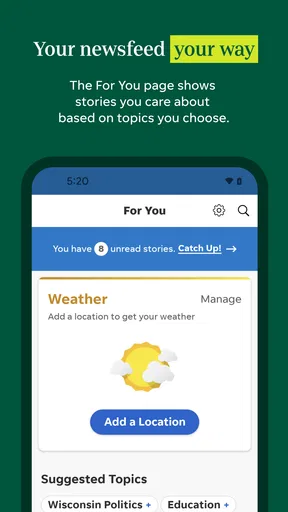
Yes, the app allows users to personalize their news feed by selecting preferred topics and categories. This feature helps users focus on the news that matters most to them, whether it's local politics, sports, or entertainment. Customization ensures a more relevant and engaging user experience.
What are the system requirements for the Milwaukee Journal Sentinel app?
The Milwaukee Journal Sentinel app is compatible with both Android and iOS devices. For optimal performance, Android users should have version 7.0 or higher, while iOS users should have version 11.0 or higher. Ensure your device has adequate storage space and a stable internet connection for seamless functionality.
